The widget: Thought and Mark, one tap from your home screen

Two buttons on your Android home screen. One tap, and you are writing.

Why it exists

  • A thought you write in two seconds is a thought you keep.
  • The widget removes the steps between "I had a thought" and "it is saved".
  • And it shows none of your writing, so your home screen stays private.

On this page

  1. Add the widget.
  2. Tap Thought.
  3. Tap Mark.

Step 1. Add the widget.

Press and hold an empty place on your Android home screen. Choose Widgets. Find OnceWrote and drag it onto the screen.

The OnceWrote widget: a purple Thought button and a blue Mark button.

Step 2. Tap Thought.

OnceWrote opens, ready to write a thought. The keyboard is already up.
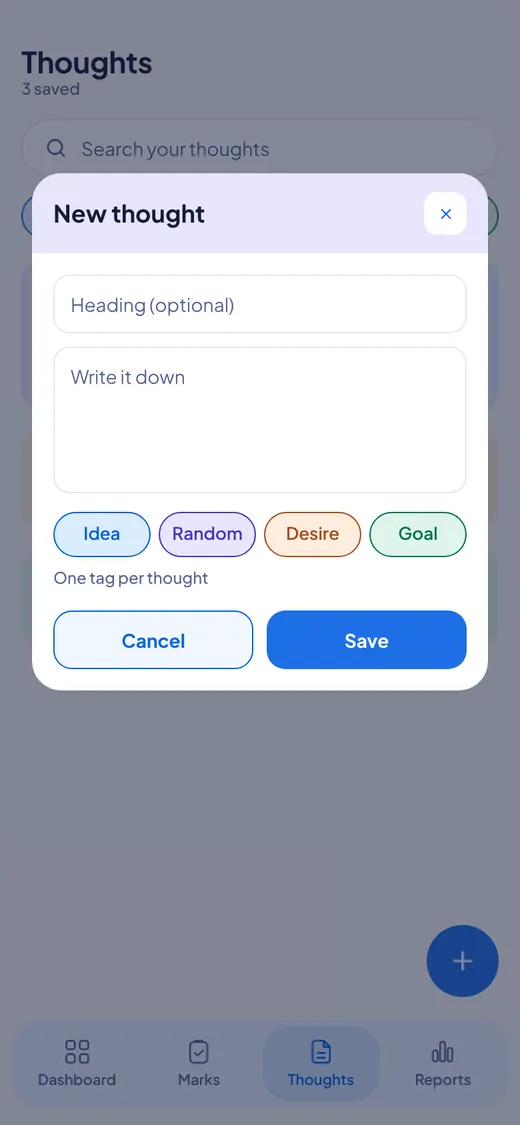
OnceWrote opens on the New thought popup, ready to write.

Step 3. Tap Mark.

OnceWrote opens, ready to add a mark.
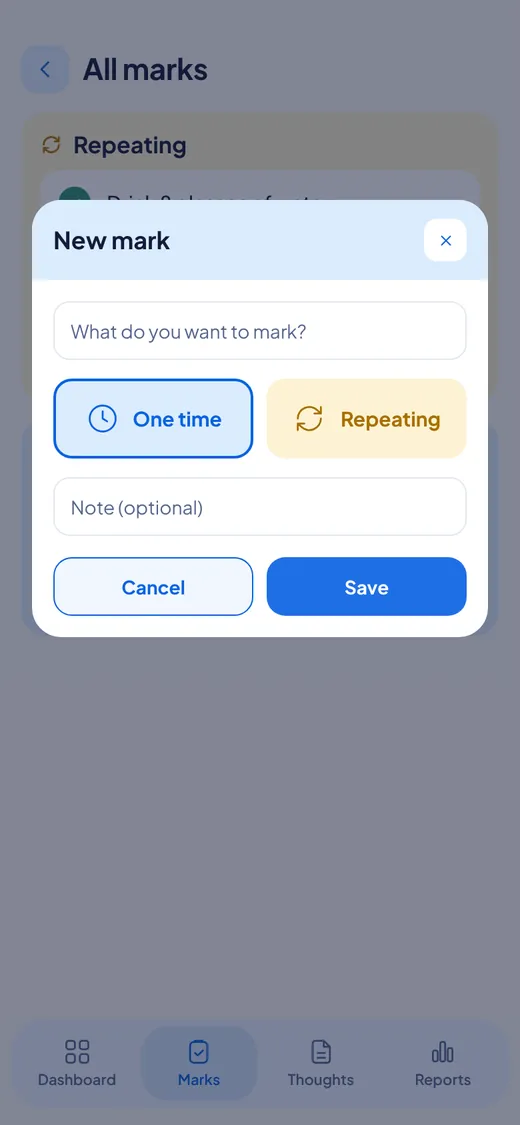
OnceWrote opens on the New mark popup, ready to add a mark.

Good to know

  • The widget never shows or reads your writing. It only opens the app.
  • If your app is locked, you unlock it first. Then you land in the right place.
  • Android only.

Features

For Windows and Android. Not on iPhone or Mac yet.