
Write it once. See what you actually did.
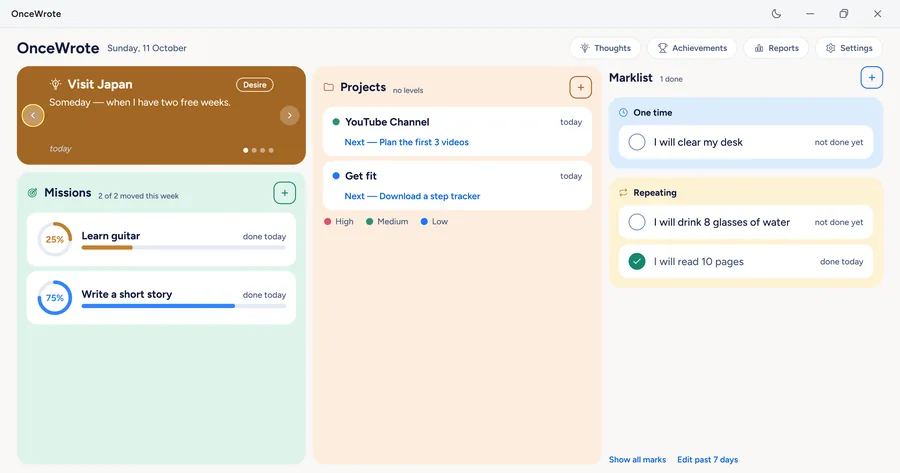
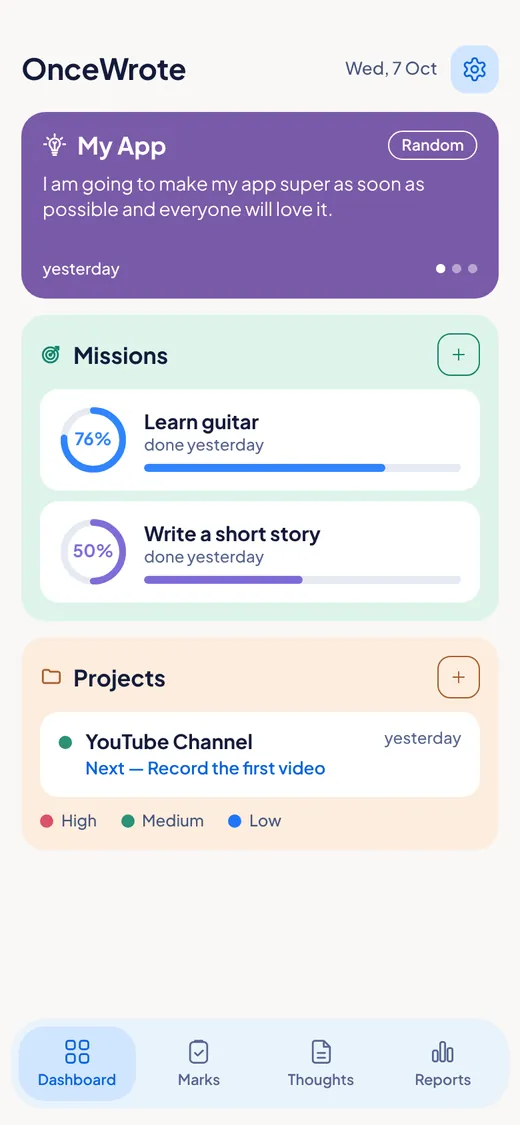
OnceWrote is a private app for Windows and Android. It is made for people with many interests and many things going on at once. Write your thoughts. Start projects. Tick what you do. And see how far you have come.
No streaks. Nothing turns red. No pressure.
For Windows and Android. Not on iPhone or Mac yet.
Works without internet. Works without a Google account.
Watch the 3-minute story
A busy man hears a street guitarist and wants to play again. Then life gets in the way. See how OnceWrote brings that thought back.
Does this sound like you?
You are doing more than you think.
OnceWrote is made for people like you. People with many interests. People who are told to "just pick one thing" and cannot.
- You have many things going on at once.
- You start something, and then your mind jumps to the next thing.
- You get a good thought, and a week later it is gone.
- You do not want a big plan that you will feel bad about breaking.
- But you still want to know: am I getting anywhere?
One place for your thoughts, projects, missions, marks and wins.
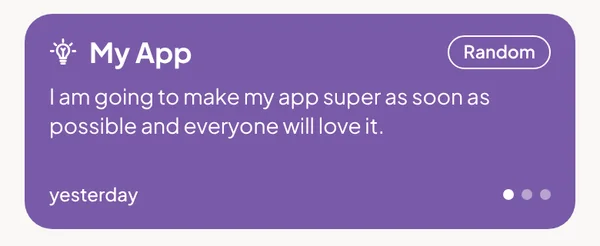
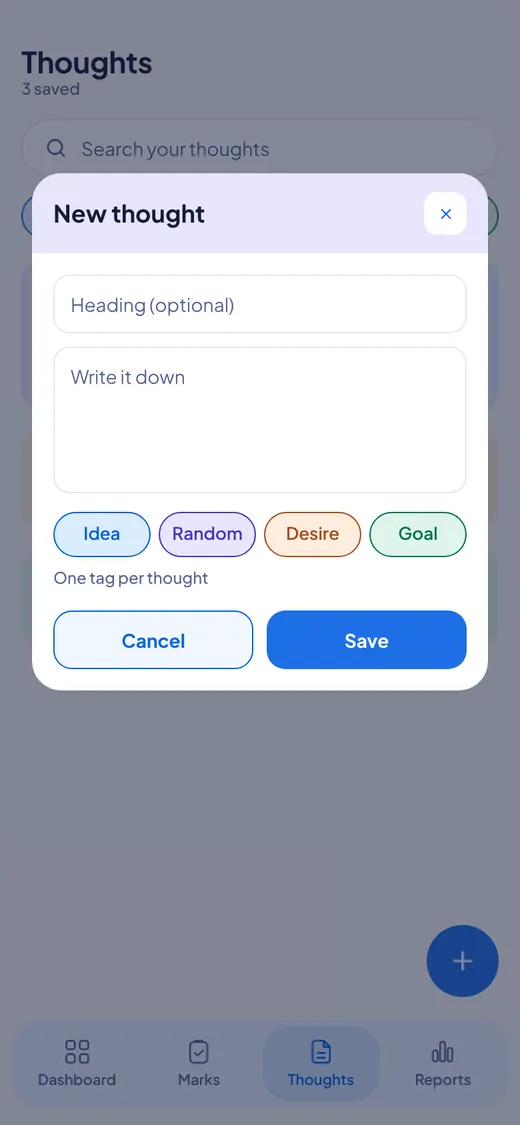
Write a thought once. It comes back when you need it.
You get a thought. You write it down. A week later, you have forgotten it. This is the first problem OnceWrote solves.
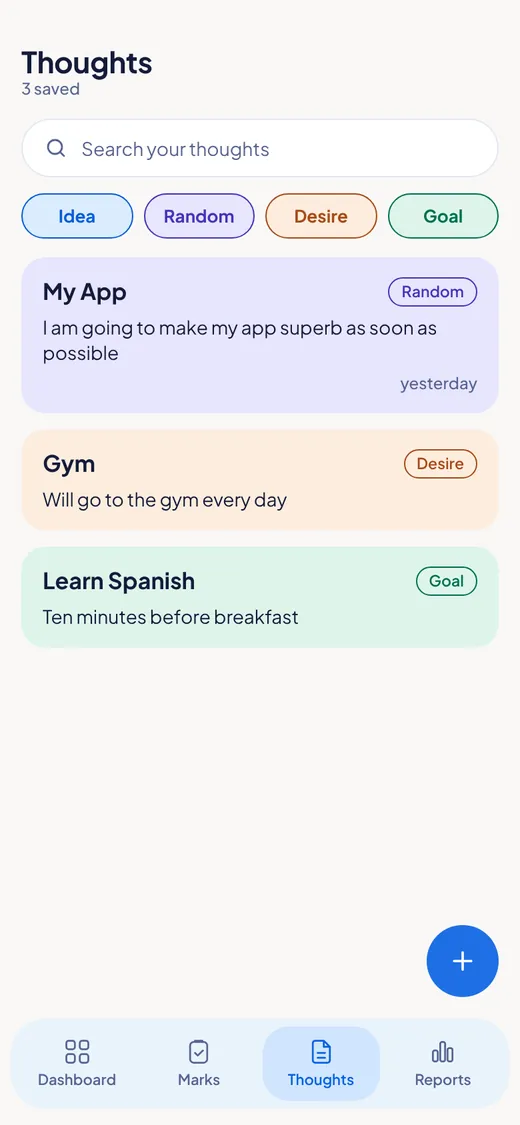
On your Dashboard there is a slider. It shows the thoughts you wrote, one by one, in the colour of their tag. It moves by itself. You can also swipe to the next one.
Some days you see an old thought and you think: "Yes. Now is a good time." Good. Start on it right there. Add a mark, a project or a mission.
- Your thoughts are kept until you delete them.
- You see what was in your mind.
- Old thoughts do not hide in a long list. They come to you.
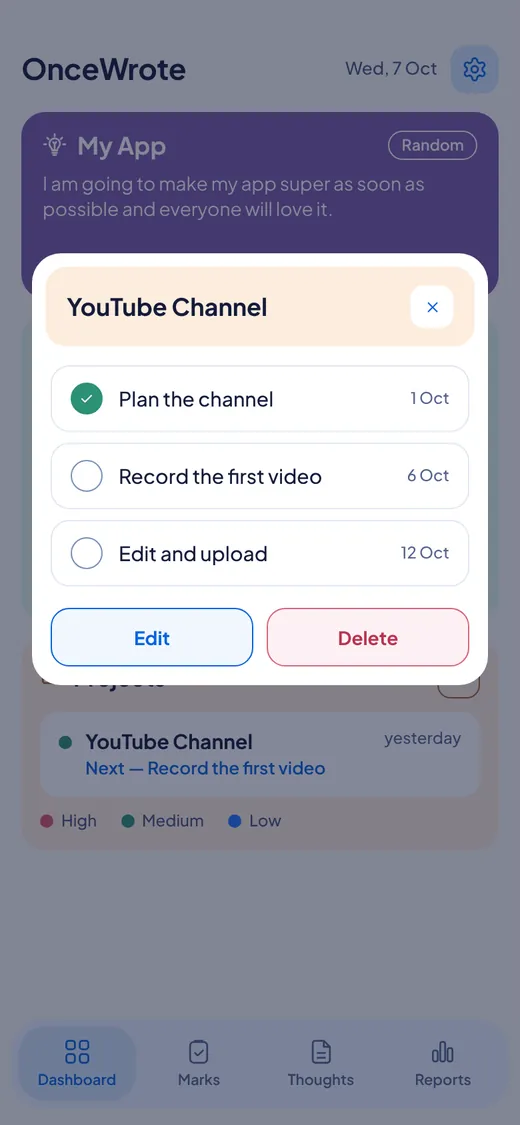
Make a project. List your actions. Tick them off.
This is the part most people use every day. No planning skills needed.
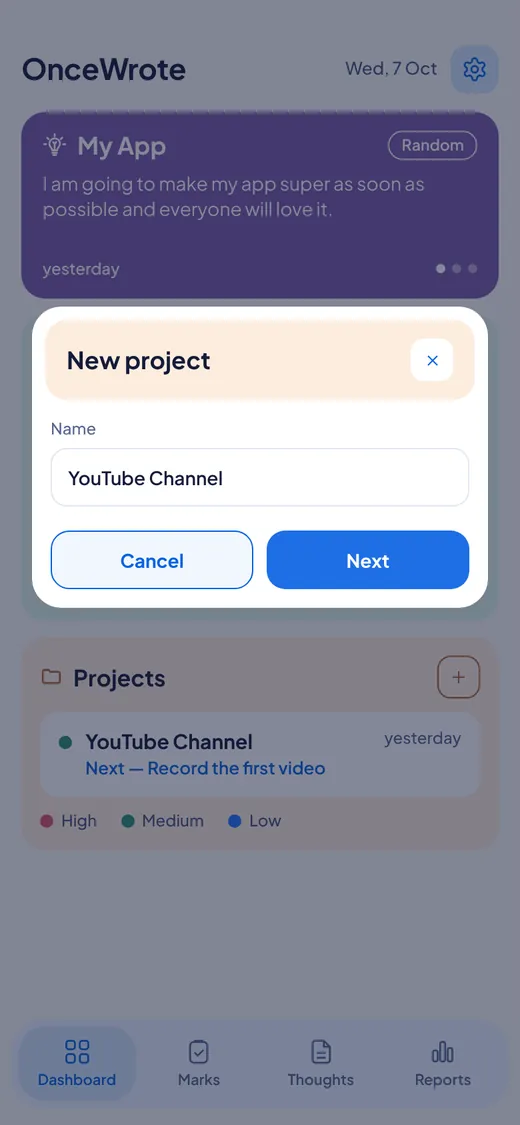
- Make a project. Give it a name.
- List the actions you want to do.
- Do one. Tick it.
- Add more actions any time.
The Dashboard always shows what to do next. Want to give a project more weight? Give it High, Medium or Low.
Example: Project "YouTube Channel". Actions: Plan the channel. Record the first video. Edit and upload. Next: Record the first video.
- Plan the channel
- Record the first video
- Edit and upload
Know it is planned? Give it levels. Watch the bar move.
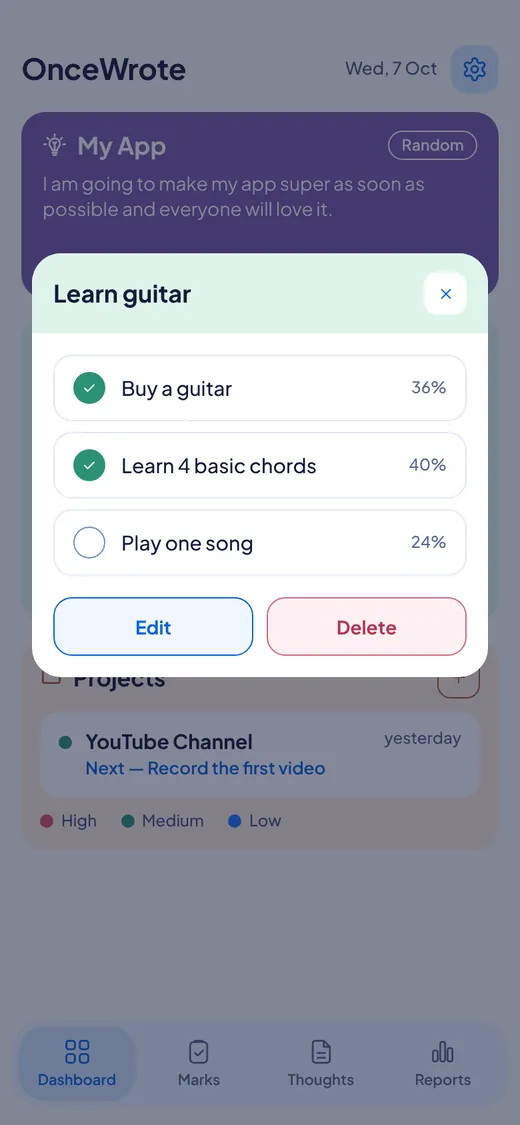
Some things have a clear plan. Learn guitar. Write a short story. For these, make a mission.
- Name your mission.
- Add levels. Each level is one step.
- Say how much each level counts, in percent.
- Tick a level when you finish it. The ring and the bar fill by themselves.
You never type a percentage for the whole mission. You just see it grow.
Example: Mission "Learn guitar". Levels: Buy a guitar. Learn 4 basic chords. Play one song.
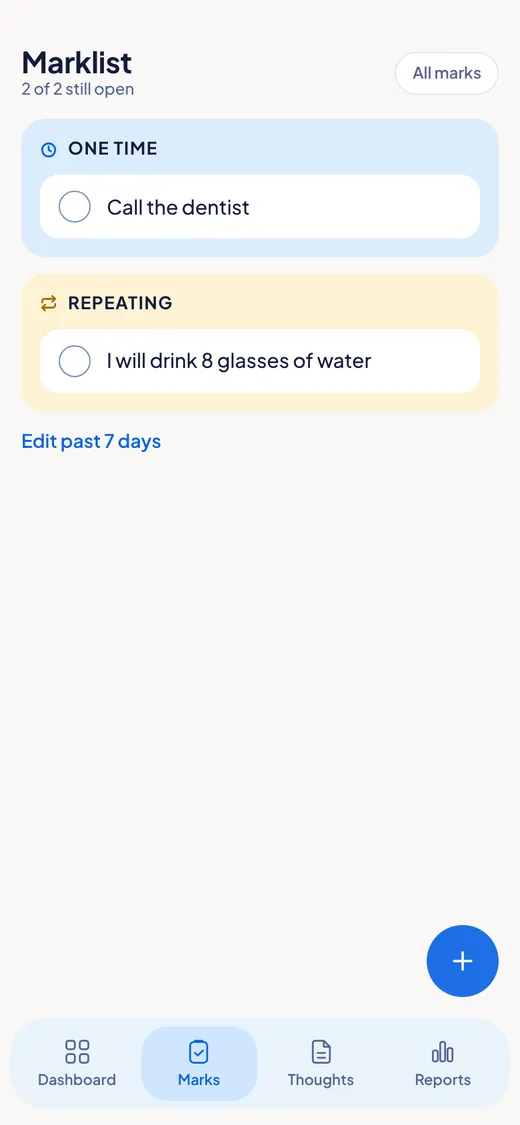
Marks: tick the small things you do
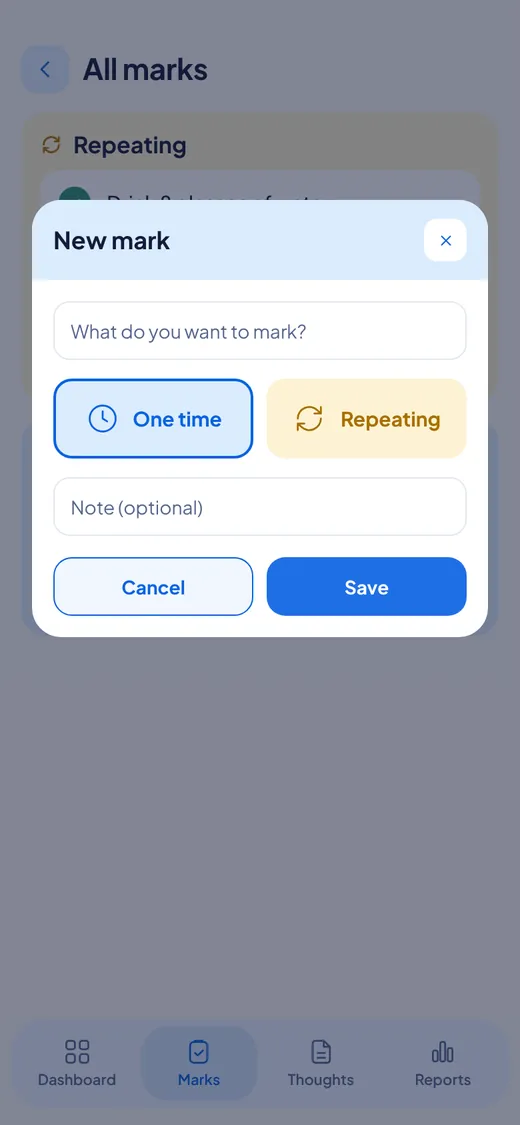
Walk. Read. Drink water. Call the dentist. Tap to tick it when it is done.
- Small things matter, and they are easy to forget.
- Ticking something is a small win.
- No red. No "late". If you did not tick it, it is just not ticked.
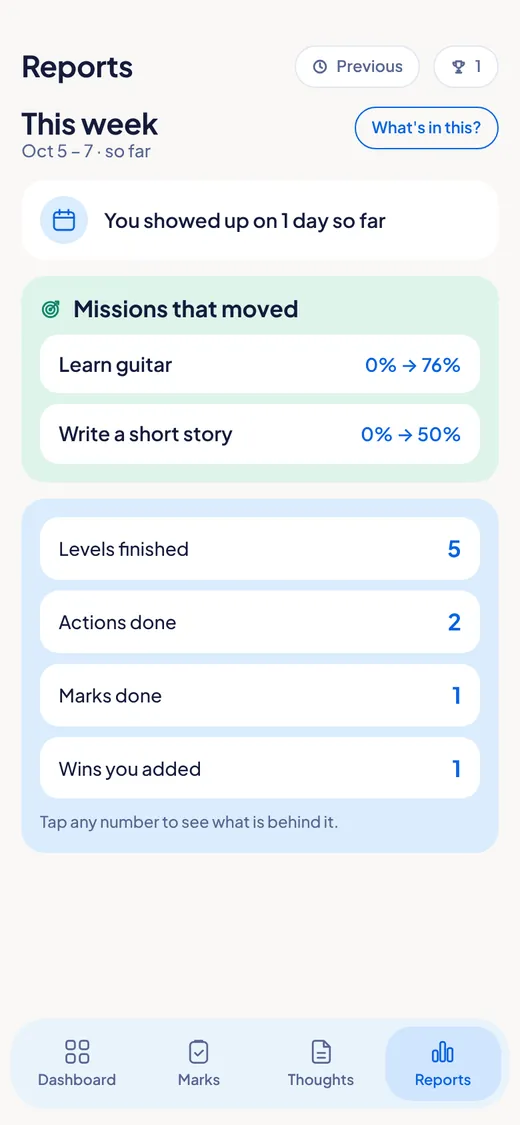
Reports: what moved this week
A plain list. No charts. No scores. Just what you did.
- At the end of the week, most people feel they did nothing.
- The report shows what really happened, so you can see: I did more than I thought.
- If nothing moved, it says: "Nothing moved this week. That happens."
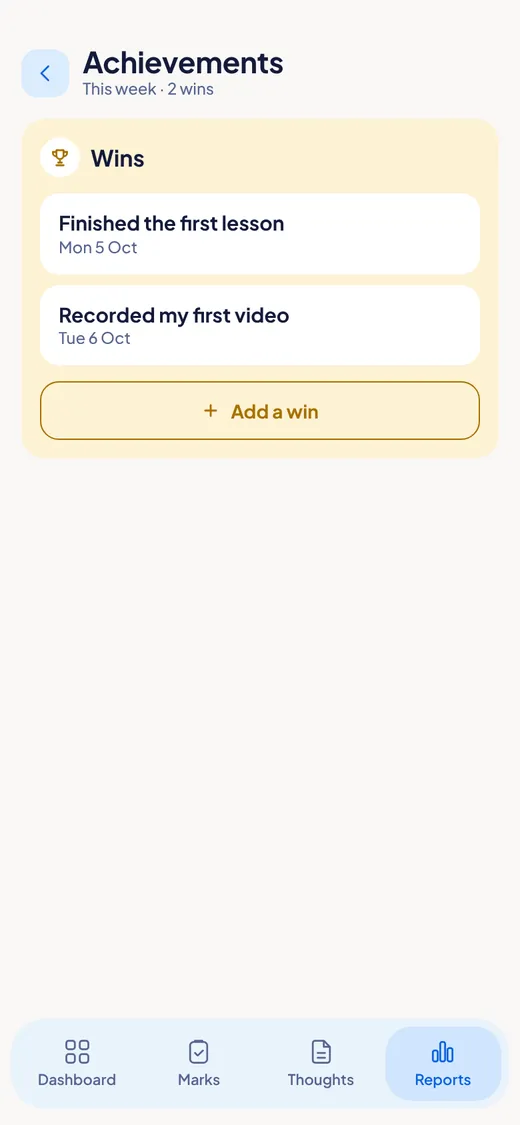
Wins: keep what you finished
A place for the things you finished. Look back any time.
- We forget our wins fast.
- A list of finished things is proof that you move.
- You can change or delete a win any time.
- Finish a mission, and OnceWrote offers to save it as a win.
One tap from your home screen to a new thought
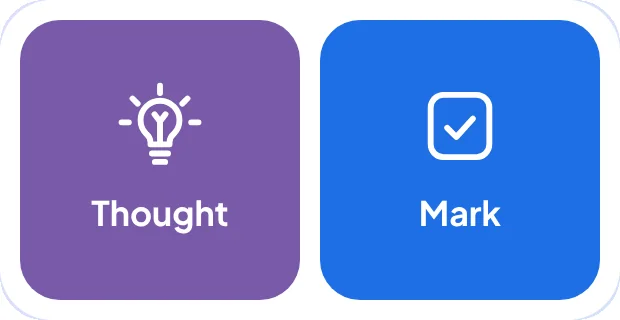
On Android, add the OnceWrote widget. It is two big buttons: Thought and Mark.
- Tap Thought. OnceWrote opens, ready to write. The keyboard is already up.
- Tap Mark. OnceWrote opens, ready to add a mark.
- The widget shows none of your writing. So your home screen stays private, even if someone else looks at your phone.
A thought you write in two seconds is a thought you keep.
See every screen before you start
One place for every kind of thing
| You have | Use a | What it is |
|---|---|---|
| A thought | Thought | Write it down. It comes back on the slider. |
| A small thing to do | Mark | Tick it once, or on the days you choose. |
| A list of things, no fixed plan | Project | Actions you tick off. It shows what is next. |
| A plan with steps | Mission | Levels with percent. The bar moves as you go. |
A thought can become a mark, a project or a mission. You choose when.
And everything else inside
Examples to start
OnceWrote begins with a few examples so the screens are not empty. They are not counted in your reports. Remove them with one tap: Clear example data.
Light and dark
Choose a bright or a dark screen.
Text size
Small, Medium or Large.
PIN lock
Lock the app so nobody else can open it on your phone. On phones with a fingerprint reader, you can use your fingerprint too.
A gentle reminder
One message at the end of the day, at most. It starts at 9:30 PM. Change the time, or turn it off, any time.
Export and Import
Save everything you wrote into one file. Bring it back later. The file is not locked, so keep it safe.
Change password
From any device where you are signed in.
On Windows
The app lives in the tray by your clock. Your computer keeps your newest backup, and you can back up now or restore. You can start OnceWrote with Windows.
Most apps make you feel behind. OnceWrote does not.
| Other apps often have | OnceWrote has |
|---|---|
| Streaks you can break | No streaks |
| Red "overdue" marks | Nothing is ever overdue. Nothing is red. |
| Scores and badges | No scores. No badges. |
| Charts and graphs | A plain list |
| Many messages a day | One reminder a day at most, and you can turn it off |
An empty week does not get a scolding. It gets this: "Nothing moved this week. That happens."
Your writing is yours
- Locked with your password. Your writing is locked on your device and in your account.
- Not even we can read it. Not the maker of the app. Not Google.
- No AI reads it. There is no AI inside OnceWrote.
- No ads. No tracking. No analytics. Nothing is sold.
- Works offline. No internet? Everything still works.
If you lose your password and your 12 recovery words, nobody can open your saved writing. Not even us. That is the price of real privacy, and we think it is worth it.
Use it on one device, or both
- Use only your phone. Or only your computer. Each one works alone.
- Want both to show the same things? Sign in with Google. Your writing is kept in your account, locked with your password.
- Lose your phone? Your writing is safe in your account.
- No Google account? Tap Not now. Everything stays on that one device.
Start with one thought.
Open the app. Write one line. That is enough for today.
For Windows and Android. Not on iPhone or Mac yet.